
Download ParetoLogic Data Recovery – Secure File Recovery Tool for Windows & Mac
Accidentally deleted a crucial document, cherished photo, or important email? You're not alone. With ParetoLogic Data Recovery, you can restore lost files from your hard drive, USB drives, memory cards, iPods, and other connected storage devices.
This powerful recovery software is designed to help users retrieve data that was recently deleted, offering a reliable solution when you need to recover files fast. Whether you're using Windows or Mac, ParetoLogic Data Recovery delivers a secure, user-friendly experience with intelligent scanning technology. The free trial version lets you test the software before committing, so you can see how well it performs on your system.
With features like file previews, customizable scan options, and support for multiple file types, this tool is ideal for both beginners and advanced users who value data security and efficiency.
Key Features of ParetoLogic Data Recovery
One of the standout strengths of ParetoLogic Data Recovery lies in its comprehensive feature set tailored for real-world data loss scenarios. The software supports recovery from a wide range of storage devices, including internal hard drives, external USB drives, SD cards, memory sticks, and even iPods. This versatility makes it a go-to solution for users who frequently transfer files between devices. The core recovery engine uses advanced algorithms to scan for deleted files, even after the recycle bin has been emptied. It works by analyzing the file system metadata and identifying fragments of data that haven’t yet been overwritten.
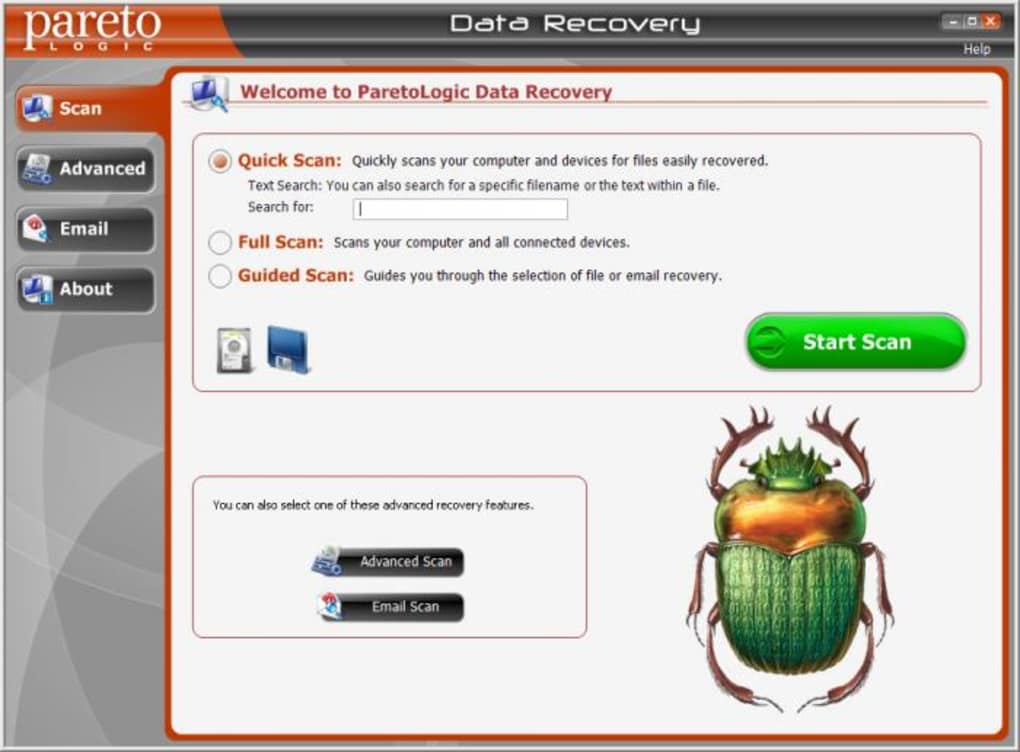
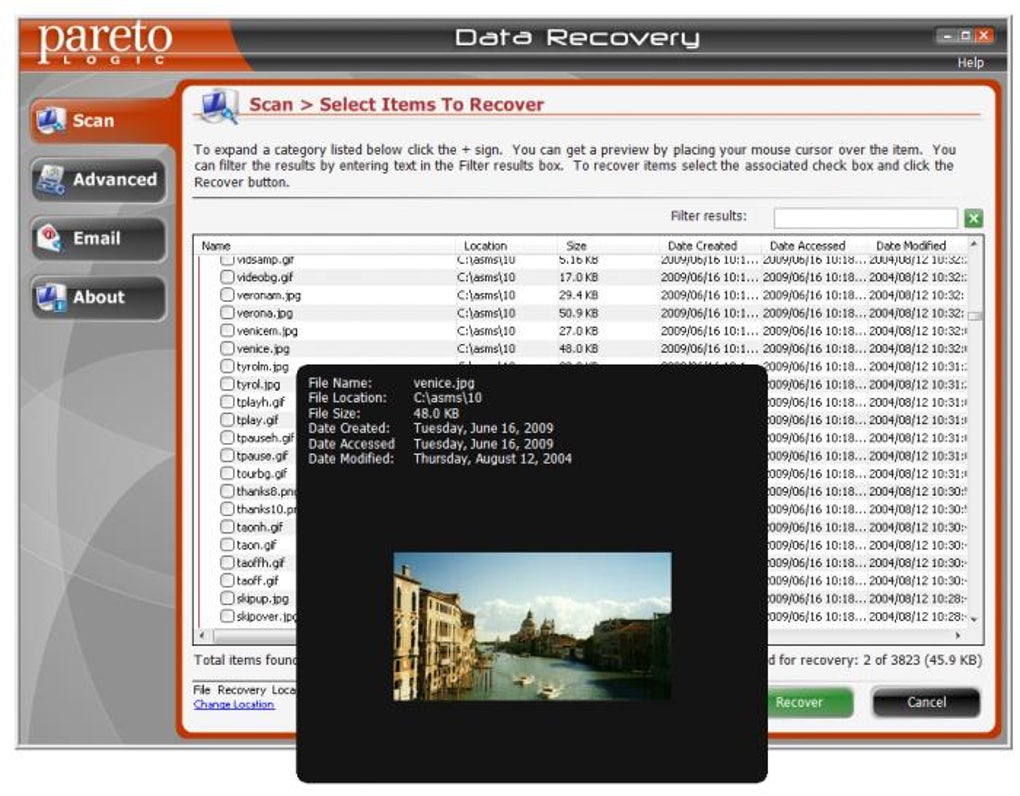
Another valuable feature is the ability to preview recovered files before restoring them. This means you can open documents, view images, and check audio files directly within the software interface, helping you quickly identify the correct files without having to restore everything. The tool also offers two scan modes: Quick Scan and Advanced Scan. The Quick Scan is ideal for recently deleted files, providing fast results in just a few minutes. For deeper recovery, the Advanced Scan takes more time but increases the chances of retrieving older or more deeply deleted data.
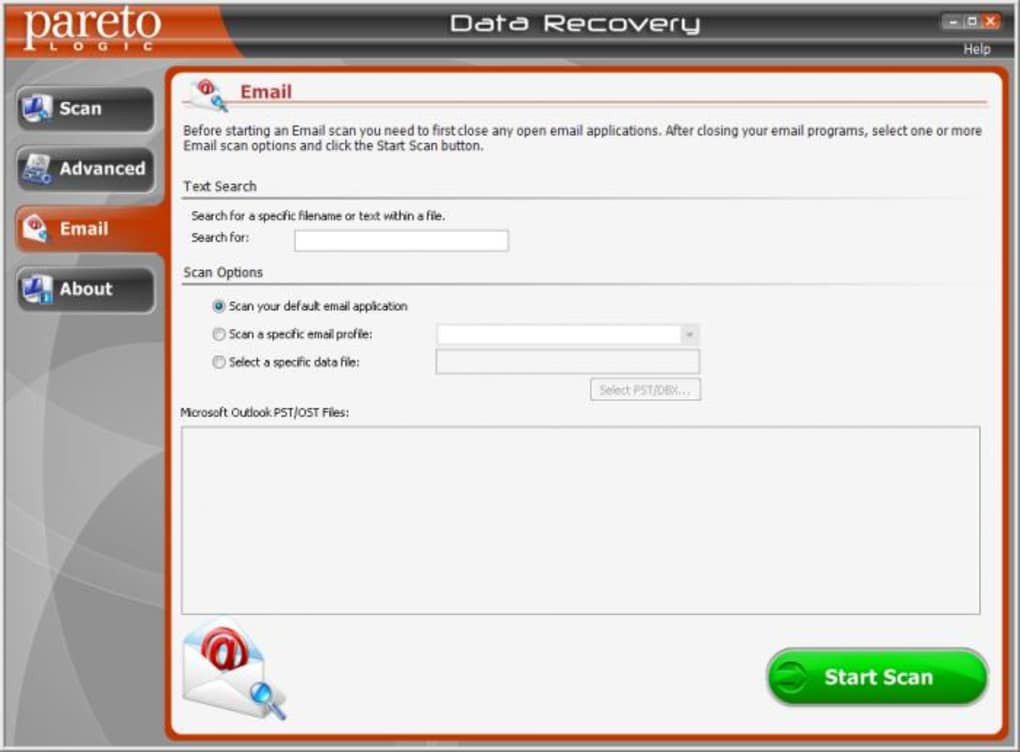
Although the search function for specific file names or text content is somewhat limited in practice, the software still allows users to filter results by file type (e.g., photos, documents, videos) and date. This helps narrow down large result sets efficiently. Additionally, the software integrates smoothly with Windows and Mac systems, requiring no technical expertise to install or operate. With a clean, intuitive interface and minimal system resource usage, ParetoLogic Data Recovery stands out as a dependable tool for anyone who values their digital files and wants peace of mind.
Installation & Usage Guide
Getting started with ParetoLogic Data Recovery is straightforward, whether you're on Windows or Mac. Begin by downloading the software from the official website. The installer is lightweight and completes in under a minute. During installation, you’ll be prompted to choose your preferred language and destination folder. Once installed, launch the application to access the main dashboard.
Upon opening, the software will prompt you to select the drive or device you wish to scan. This could be your primary hard drive, an external USB stick, a memory card, or even a connected iPod. After selecting the target, choose between Quick Scan and Advanced Scan. For files deleted within the last few hours, Quick Scan usually suffices. However, if you're dealing with older deletions or formatting errors, opt for Advanced Scan to maximize recovery chances.
During the scan, the software will display a progress bar and estimated time. Depending on the size of the drive and the scan mode, this may take anywhere from 10 minutes to over an hour. Once the scan completes, you’ll see a list of recoverable files organized by type and date. Use the preview feature to verify the integrity of each file before restoring. Select the files you want to recover, choose a safe destination (preferably a different drive to avoid overwriting), and click “Recover.” The process is fast and secure, with no risk of damaging your original data.
For optimal results, avoid writing new data to the affected drive after deletion. This preserves the file fragments and increases the likelihood of successful recovery. The software also supports batch recovery, allowing you to restore multiple files at once. Regular updates ensure compatibility with the latest operating systems and security standards, making it a future-proof choice.
Compatibility & System Requirements
ParetoLogic Data Recovery is compatible with both Windows and Mac operating systems, ensuring broad accessibility across devices. On Windows, it supports Windows 10, Windows 11, and Windows 8.1, with full 64-bit support. For Mac users, the software runs smoothly on macOS Monterey, Ventura, and Sonoma, making it suitable for both older and newer Apple devices.
The software is designed to work with a wide variety of storage devices, including USB flash drives, SD cards, external hard drives, and portable media players like iPods. It supports major file systems such as NTFS, FAT32, exFAT, HFS+, and APFS, which means it can handle most common storage formats used today. This compatibility extends to both internal and external drives, regardless of size or brand.
System requirements are modest, requiring at least 2 GB of RAM and 500 MB of free disk space. The software does not consume excessive CPU or memory resources during scans, ensuring it runs efficiently in the background without slowing down your computer. It’s also safe to use—no malware, no ads, and no hidden tracking. With automatic update checks, the software stays current with new features and security patches, ensuring long-term reliability.
Pros & Cons
- Pros:
- Recover files from hard drives, USBs, SD cards, and iPods
- Preview files before recovery for accurate selection
- Two scan modes: Quick and Advanced for different recovery needs
- Lightweight and low system resource usage
- Available for both Windows and Mac users
- Free trial version allows testing before purchase
- Cons:
- File name or text search function is unreliable
- Advanced Scan can be time-consuming
- Recovery success depends on how quickly you act after deletion
- No built-in backup or scheduling features
- Advanced features locked in trial version
Frequently Asked Questions (FAQ)
- Can ParetoLogic Data Recovery recover files after emptying the Recycle Bin?
-
Yes, ParetoLogic Data Recovery can recover files even after the Recycle Bin has been emptied. The software scans the raw disk sectors for deleted file fragments, making it effective for post-recycle bin recovery.
- How long does a full scan take?
-
A full Advanced Scan can take anywhere from 30 minutes to over an hour, depending on the drive size and system performance. Quick Scans are much faster, typically under 10 minutes.
- Is the software safe to use on my computer?
-
Yes, ParetoLogic Data Recovery is completely safe and secure. It operates in read-only mode during scans, meaning it never modifies or damages your original data.
- Can I recover files from a formatted drive?
-
Yes, the software can recover data from formatted drives, especially if the formatting was recent and no new data has been written to the drive.
- Does it work on Mac and iOS devices?
-
ParetoLogic Data Recovery is compatible with Mac systems and supports recovery from connected iOS devices like iPods and iPhones when accessed via USB. However, full iOS recovery may require additional tools.
Conclusion & Call to Action
When it comes to recovering lost files, time is of the essence. ParetoLogic Data Recovery offers a reliable, secure, and user-friendly solution for both Windows and Mac users. Its ability to scan multiple storage devices, preview recovered files, and operate efficiently with minimal system impact makes it a top choice for everyday users and professionals alike. While the file search function could be improved and the Advanced Scan takes time, the overall performance and success rate are impressive.
With a free trial available, you can test the software risk-free and see how well it works with your specific data loss scenario. If you’ve ever lost important files due to accidental deletion, formatting, or device failure, don’t wait—download ParetoLogic Data Recovery today and protect your digital memories and work.
Download now and reclaim your lost data with confidence.







